
Commercial Lockouts: How Businesses Minimize Downtime
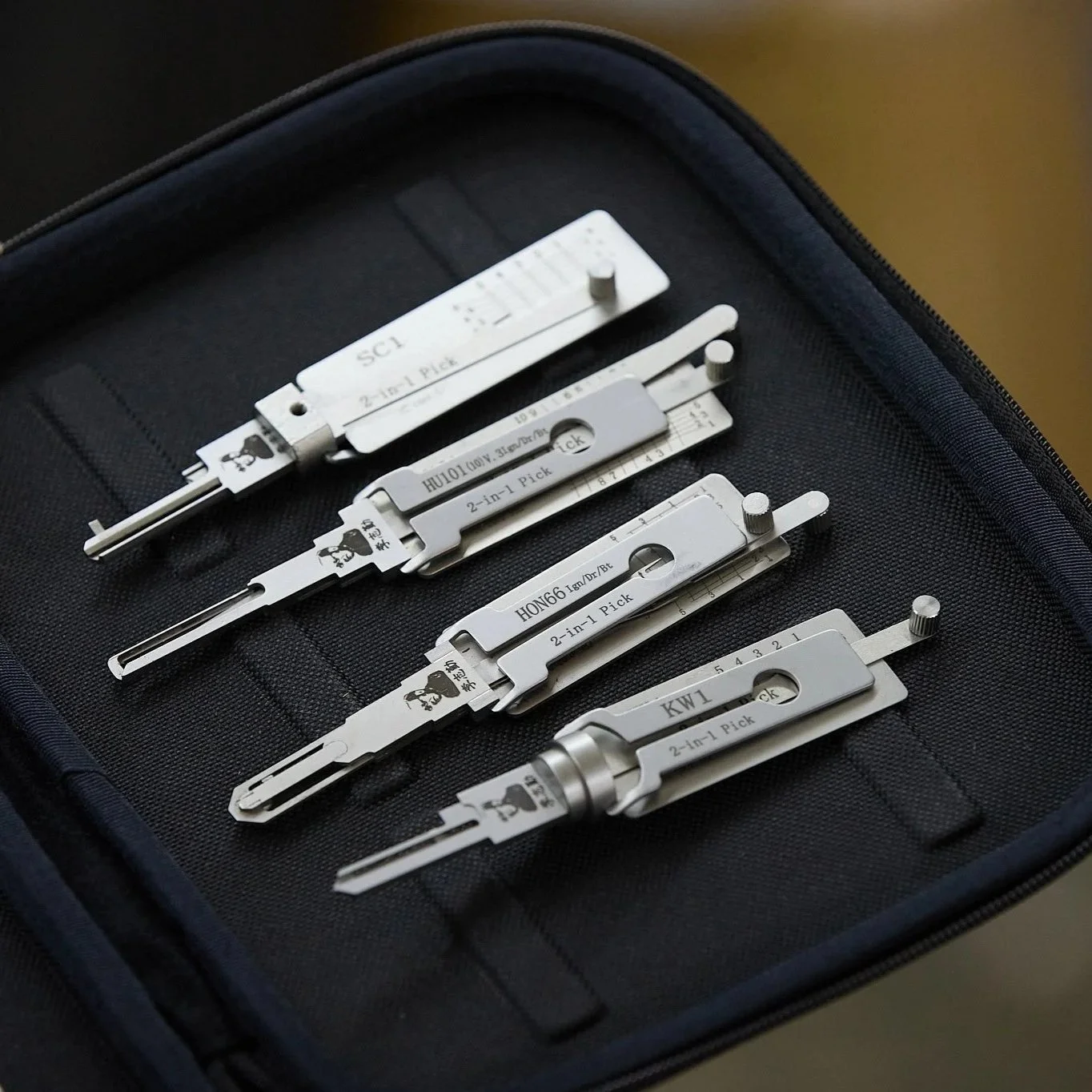
Locksmith tools prepared for commercial lockout service, highlighting precision equipment used to restore business access quickly without damaging doors.
Why Commercial Lockouts Hit Harder Than Residential Ones
When a business experiences a lockout, the impact goes far beyond inconvenience. Employees cannot access workspaces, customers get turned away, deliveries stall, and scheduled operations fall apart quickly. Unlike residential lockouts, which affect a single household, commercial lockouts ripple outward. Lost revenue, missed appointments, payroll inefficiencies, and reputational damage all stack up in a short window of time.
What makes commercial lockouts especially disruptive is that they rarely happen in isolation. They often occur during opening hours, shift changes, or high-traffic periods when access matters most. Businesses that minimize downtime do so not by reacting faster in the moment, but by planning access control, response procedures, and recovery paths long before a lockout ever happens.
The Most Common Causes of Commercial Lockouts
Commercial lockouts usually stem from predictable scenarios rather than rare accidents. Employee turnover ranks high on the list. Keys do not get returned. Codes do not get updated. Access responsibility becomes unclear. Over time, uncertainty builds until no one can get in when it matters.
Hardware issues also contribute. High-traffic doors experience wear faster than residential ones. Cylinders loosen, electronic locks desync, and keycards fail without warning. Businesses that rely on aging hardware without scheduled maintenance increase the risk of unexpected lockouts that halt operations.
How Businesses Prepare Before a Lockout Occurs
Companies that minimize downtime treat access as an operational system rather than an afterthought. They document who has access, what types of access exist, and how that access is revoked or reassigned. This documentation reduces confusion during emergencies when decisions need to happen quickly.
Many businesses also establish clear escalation procedures. If a manager cannot access the building, someone else can. Backup credentials exist. Emergency contacts are defined in advance. These preparations prevent the scramble that often unnecessarily prolongs lockouts.
Key Management Versus Credential Management
Traditional key systems create long-term risk in commercial settings. Keys get copied without oversight. Employees keep spares after leaving. Rekeying becomes expensive and disruptive. Over time, no one knows how many keys actually exist.
Modern businesses increasingly shift toward credential-based access, such as keycards, fobs, or digital locks. These systems allow access to be granted and revoked without changing hardware. When lockouts occur, credentials can often be reissued or reset quickly. Businesses that adopt credential-based systems reduce downtime by eliminating reliance on physical keys.
Why Access Redundancy Matters
One of the biggest mistakes businesses make is relying on a single access method. When that method fails, everything stops. Businesses that minimize downtime build redundancy into their access systems. Multiple authorized users exist. Backup credentials are stored securely. Mechanical overrides remain functional even when electronic systems fail.
Redundancy does not mean lowering security. It means designing access so that failure in one layer does not shut down the entire operation. This approach mirrors how businesses handle power, internet, and data backups. Access deserves the same treatment.
The Role of Professional Lockout Response
When a lockout does occur, professional response matters. Commercial doors, hardware, and access systems differ significantly from residential setups. Improvised entry attempts risk damaging expensive hardware, frames, or electronic components. That damage often extends downtime far beyond the lockout itself.
Professional commercial lockout services focus on restoring access without disrupting security or hardware integrity. Controlled entry preserves locks, doors, and systems, allowing businesses to resume immediately rather than dealing with repairs afterward. Businesses that plan for a professional response avoid turning one problem into several.
Why Forced Entry Is Almost Never the Right Choice
Breaking in feels tempting during a lockout, especially when time pressure builds. In commercial environments, forced entry rarely saves time in the long run. Broken doors trigger security alarms, insurance claims, repairs, and compliance issues. The cost of damage often exceeds the cost of professional access restoration.
Businesses that understand this avoid knee-jerk reactions. They prioritize clean access over fast access. That decision protects property, keeps insurance intact, and avoids extended closures.
Electronic Lockouts And System Resets
Electronic access systems introduce new lockout scenarios. Power failures, network outages, software updates, or credential database errors can all unexpectedly deny access. Businesses that rely on electronic locks without understanding their failure modes face a higher risk of downtime.
Preparation involves knowing how systems behave during outages. Battery backups, offline access modes, and manual overrides should be tested regularly. Businesses that treat electronic access as a system rather than a gadget recover faster when something goes wrong.
Employee Training Plays a Larger Role Than Expected
Many commercial lockouts happen because employees do not know access procedures. Doors get locked incorrectly. Codes get changed without documentation. Credentials expire without notice. These issues compound until access fails.
Training employees on proper access use, reporting procedures, and escalation paths significantly reduces accidental lockouts. Businesses that communicate clearly about access responsibilities experience fewer disruptions overall.
After-Hours Lockouts And Downtime Control
After-hours lockouts present unique challenges. Fewer decision-makers are available. Response times lengthen. Security concerns increase. Businesses that plan for after-hours scenarios reduce downtime by establishing clear authority and contact paths outside normal hours.
This planning often includes designated emergency contacts, access protocols, and relationships with professional services that understand the business’s hardware and layout. Familiarity shortens response time when access matters most.
Why Rekeying And Access Updates Reduce Future Lockouts
Businesses that rekey or update access systems during transitions experience fewer lockouts later. Employee exits, tenant changes, and security updates represent opportunities to reset access intentionally rather than letting systems drift into uncertainty.
Proactive updates prevent situations where no one knows which key works or which credential is valid. Clarity reduces downtime by eliminating guesswork during access failures.
Minimizing Downtime Is About Control, Not Speed
Speed alone does not minimize downtime. Control does. Businesses that know who has access, how systems fail, and who responds recover faster than those that react impulsively. Control allows calm decisions under pressure rather than chaotic responses.
Commercial lockouts become manageable events rather than crises when preparation replaces assumption.
The Long-Term Cost Of Unplanned Lockouts
Unplanned lockouts cost more than lost hours. They affect employee morale, customer trust, and operational rhythm. Repeated disruptions signal weak systems and poor planning. Businesses that address access proactively avoid these hidden costs.
Minimizing downtime protects not just revenue, but reputation and stability.
What Effective Lockout Planning Looks Like
Effective planning includes documented access lists, redundant credentials, tested emergency procedures, and professional response relationships. It treats access as infrastructure rather than a convenience. Businesses that adopt this mindset experience fewer disruptions and faster recovery when problems arise.
Commercial lockouts never entirely disappear, but their impact can be dramatically reduced with the right approach.
Commercial Lockout FAQs for Businesses
What causes most commercial lockouts?
Common causes include employee turnover, misplaced keys, expired credentials, hardware wear, and undocumented access changes.
Why shouldn’t businesses force entry during a lockout?
Forced entry often causes damage that increases downtime and repair costs, worsening the situation rather than resolving it.
How do electronic access systems affect lockout risk?
Electronic systems reduce some risks but introduce others, such as power failures or software issues, which require planning and backup procedures.
What should businesses do after a lockout occurs?
Businesses should review access procedures, update credentials if needed, and address the root cause to prevent future lockouts.
How can businesses prepare for after-hours lockouts?
Preparation includes establishing clear emergency contacts, authority chains, and professional response plans before a lockout happens.
Locksmiths of Kansas City offers full-service residential locksmith, commercial locksmith, and automotive locksmith solutions, including lock installation, business security enhancements, car key programming, and emergency lockout support. Our experienced and locally-owned team works on homes, offices, and vehicles with an emphasis on speed, reliability, and long-term security. From Emergency locksmith services to a complete security system upgrade, we provide 100% satisfaction guarantee and professional workmanship. Call today to schedule your locksmith service and enjoy worry-free protection.
